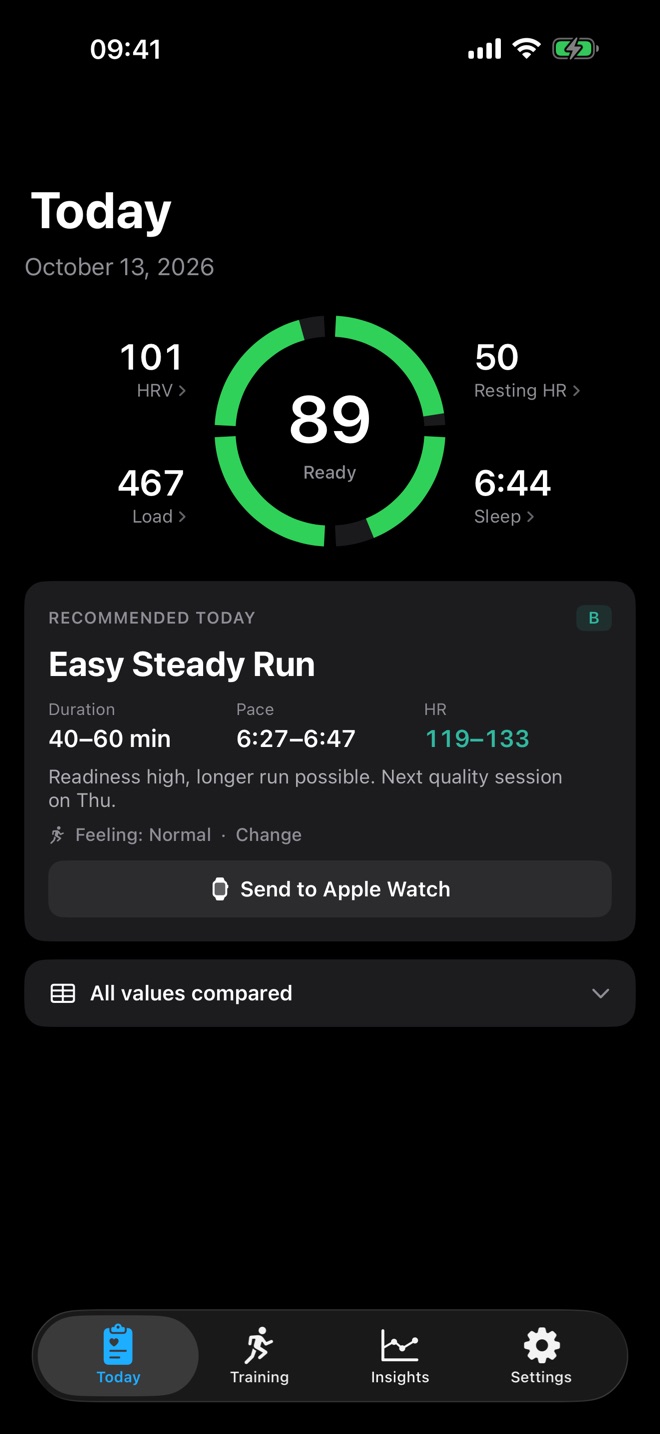
RunReady answers one question every morning: how hard should you run today? The app reads four values from your Apple Watch in Apple Health, compares them with your own last 60 days and suggests a concrete session.
What you need
- iPhone with RunReady. The app is available in English and German.
- Apple Watch that you wear at night. The Watch measures HRV, resting heart rate and sleep only while you sleep. Without night data there is no score.
- Runs in Apple Health. Record them with the Workout app on your Watch or with any app that writes workouts to Apple Health.
First launch
- Allow access to Apple Health. RunReady asks for heart rate, HRV, sleep, workouts with route, distance, steps, running power and your effort from Apple Fitness. The app only reads; it writes nothing back.
- Import runs. By default RunReady imports the runs of the last 12 months, detects their type and calculates splits and zones. Change the period under Settings › Archive.
- Fill the archive. Under Settings › Archive, RunReady pulls up to 365 days from Apple Health and calculates a score for each day. History, calendar and “What moves your score?” are there right away instead of after weeks of collecting.
- Set your weekly plan. Under Settings › Weekly plan you choose which days are base, quality, long run or rest, and set your weekly goal in kilometres. More in Weekly plan and plan adjustment.
When your score appears
If Apple Health already holds older data, your score is there after the first launch. Without older data, RunReady shows “Building baseline” and needs about 7 nights for reliable values.
Every morning at 6 am RunReady recalculates in the background as soon as your sleep data has arrived. New HRV and sleep values in Apple Health also trigger a recalculation. If you open the app earlier, it calculates on launch.
The four tabs
- Today: ring with your score, morning check-in, recommendation. See Today.
- Training: your week and all runs with their readiness. See Training.
- Insights: histories, trends and calendar. See Insights.
- Settings: plan, zones, archive, notifications and display. See Settings.
RunReady gives training guidance and does not replace medical advice. If you feel ill, your body decides, not the score.
Question not answered?
Write to me from the app under Settings › Send Feedback. Version and device are already in the email.
Or email marvin.blome@gmail.comNot installed yet?
RunReady runs on iPhone with Apple Watch. No subscription, no account.
Get RunReady