
Insights has three sections: Readiness, Training and Calendar. You switch between them at the top.
Readiness
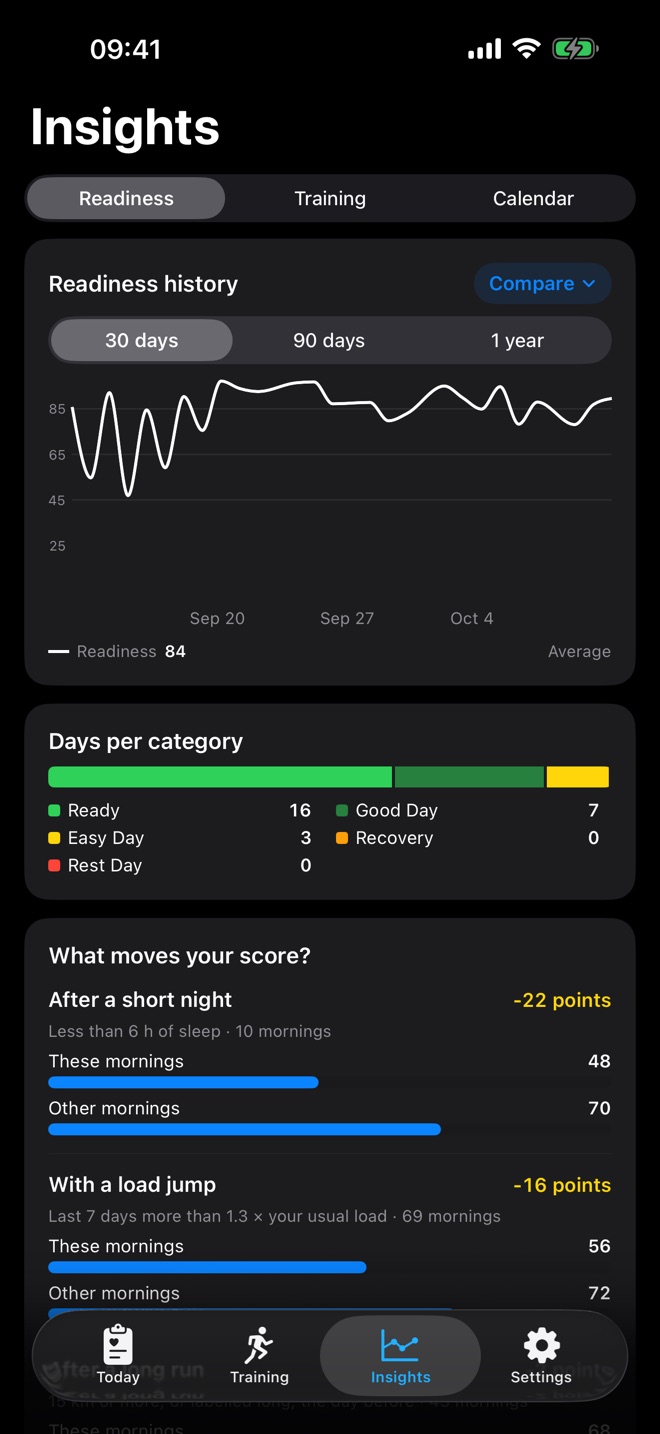
Readiness history: your score over 30 days, 90 days or a year. From 90 days on, RunReady smooths the line with a 7-day moving average. With Compare at the top right you add a sub-score as a second line, for example sleep. The legend right below the chart shows the averages or the values of the day you tapped.
Days per category: how many days in the period were Ready, Good Day, Easy Day, Recovery or Rest Day.
What moves your score?
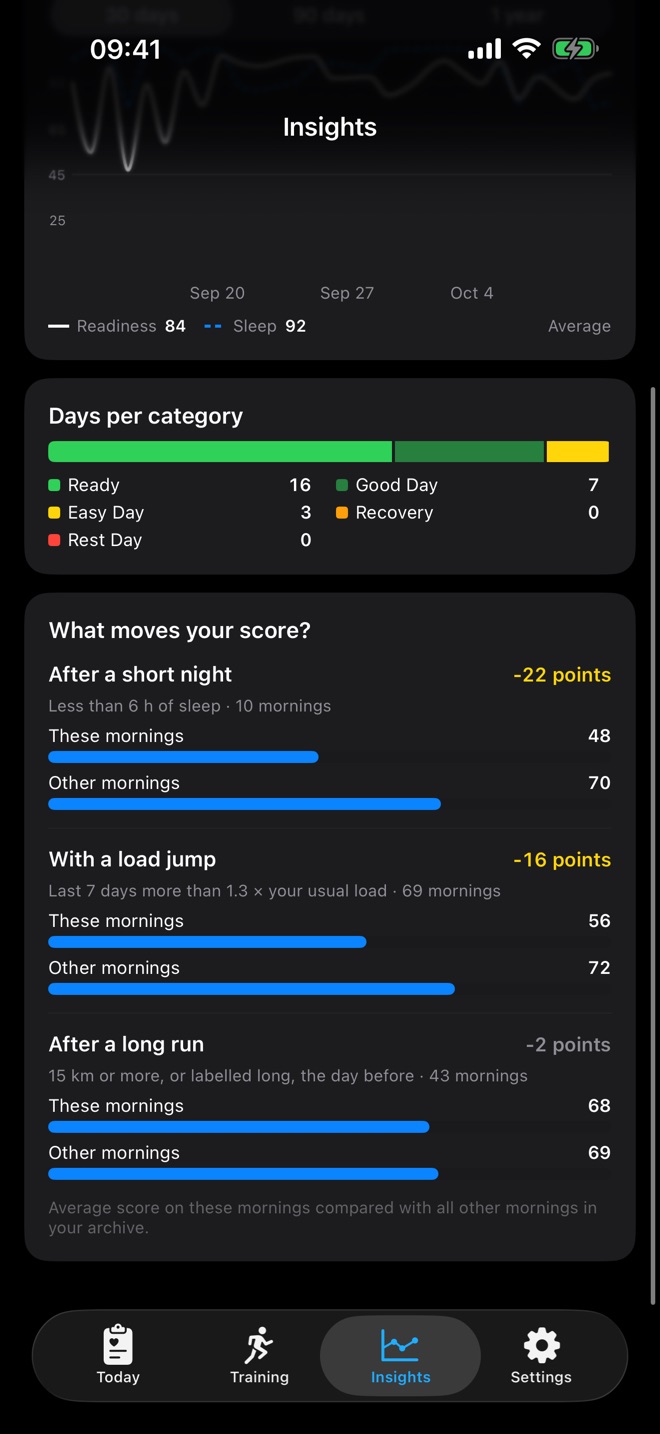
RunReady compares the mornings after three events with all other mornings:
- After a short night: less than 6 hours of sleep
- With a load jump: your last 7 days are above 1.3 times your usual training
- After a long run: a long run the day before
For each event you see the average of those mornings against the average of all others and the difference in points. An event appears once it occurred on at least 5 mornings.
Training
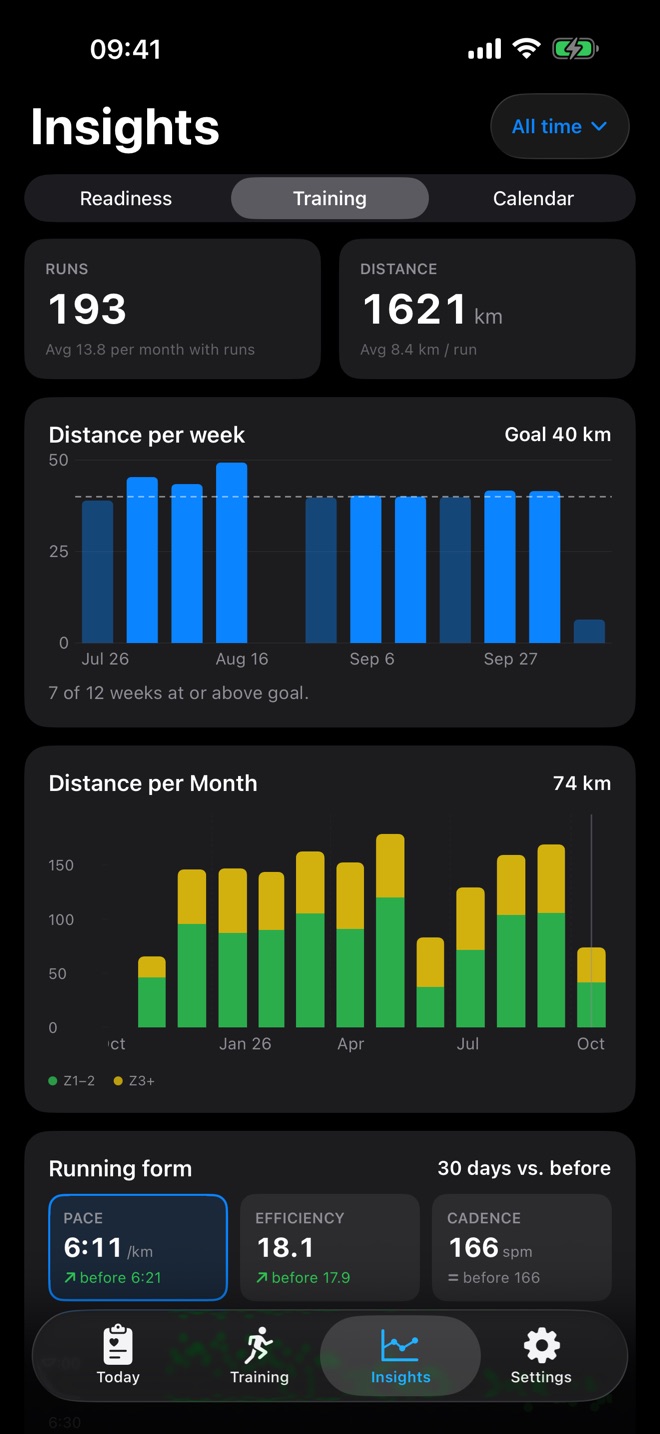
Choose the period at the top right of the title bar.
- Key figures: number of runs and total distance
- Distance per week with your weekly goal as a line. If your distance rises more than 30 % over the previous week, RunReady points it out.
- Distance per month
- Running form: pace, efficiency and cadence of the last 30 days against the 30 before. Tap a tile to switch the chart. Efficiency is speed divided by heart rate: if it rises, you run faster with less effort.
Pace at the same heart rate
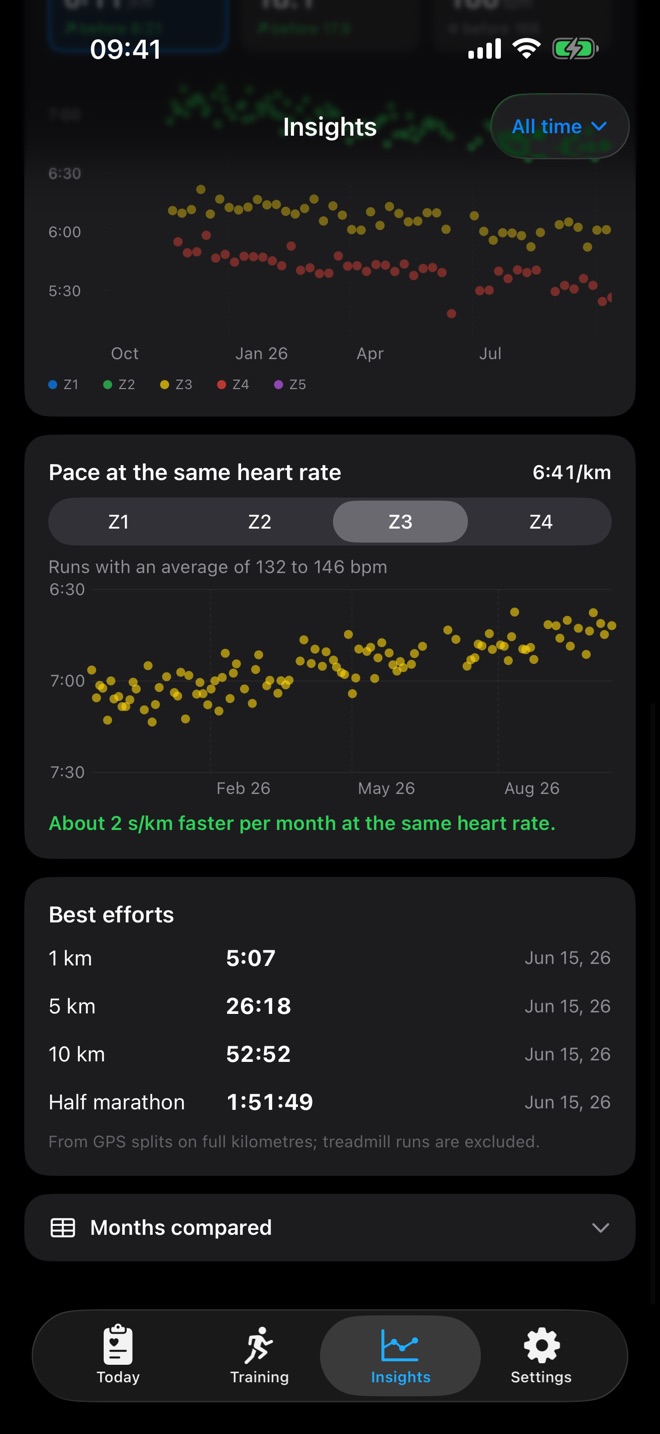
The most honest measure of your fitness: RunReady takes all runs in one zone and shows their pace over time. If you get faster at the same heart rate, your fitness grows. The statement below gives the trend, for example “about 2 s/km faster per month”. If a zone has too few runs, RunReady picks the zone with the most.
Best efforts
Your fastest sections over 1 km, 5 km, 10 km and half marathon, from the kilometre splits of all runs. Below, collapsed, is the table Months compared.
Calendar
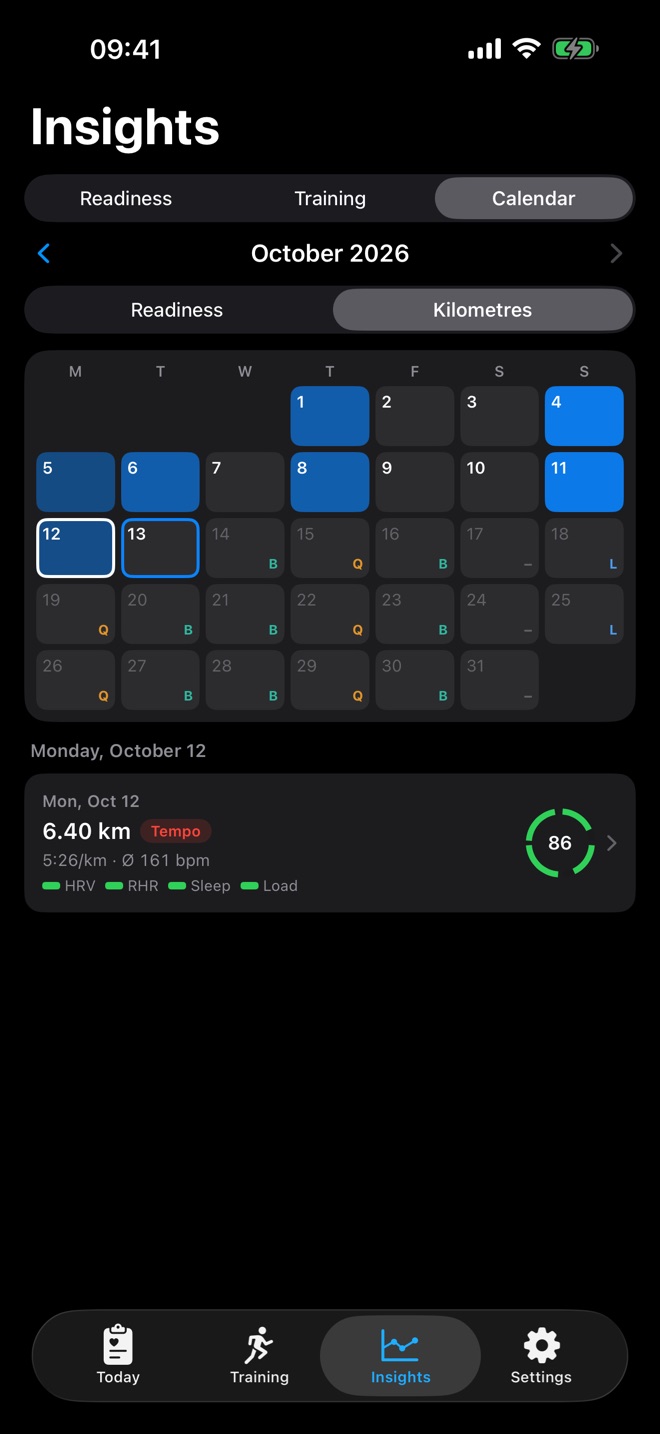
The calendar colours each day by readiness or by kilometres. Tap a day to see its values below: on run days the card of the run, otherwise a small ring with the four sub-scores. Tap the run card to open the run detail.
To fill the calendar from day one, fill the archive.
Question not answered?
Write to me from the app under Settings › Send Feedback. Version and device are already in the email.
Or email marvin.blome@gmail.comNot installed yet?
RunReady runs on iPhone with Apple Watch. No subscription, no account.
Get RunReady