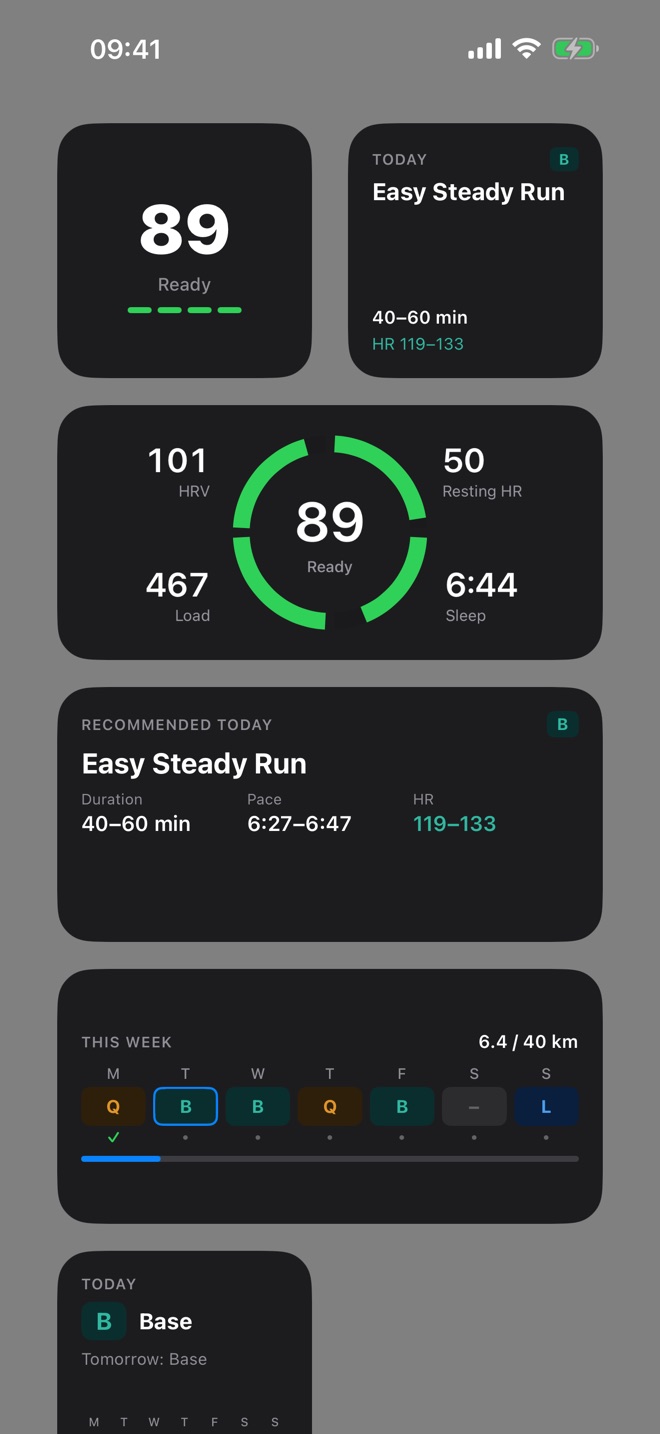
RunReady comes with four widgets:
| Widget | Sizes | Content |
|---|---|---|
| Readiness | small, medium, Lock Screen circular and rectangular | score, ring, sub-scores |
| Recommendation | small, medium, Lock Screen | session after your morning check-in |
| Weekly plan | small, medium, Lock Screen | today and tomorrow, week with runs, distance against goal |
| Overview | large | ring, recommendation and week together |
Add a widget
Touch and hold the Home Screen, tap Edit › Add Widget, search for RunReady and choose widget and size. For the Lock Screen, touch and hold it, tap Customize and then the area below the clock.
When the widgets update
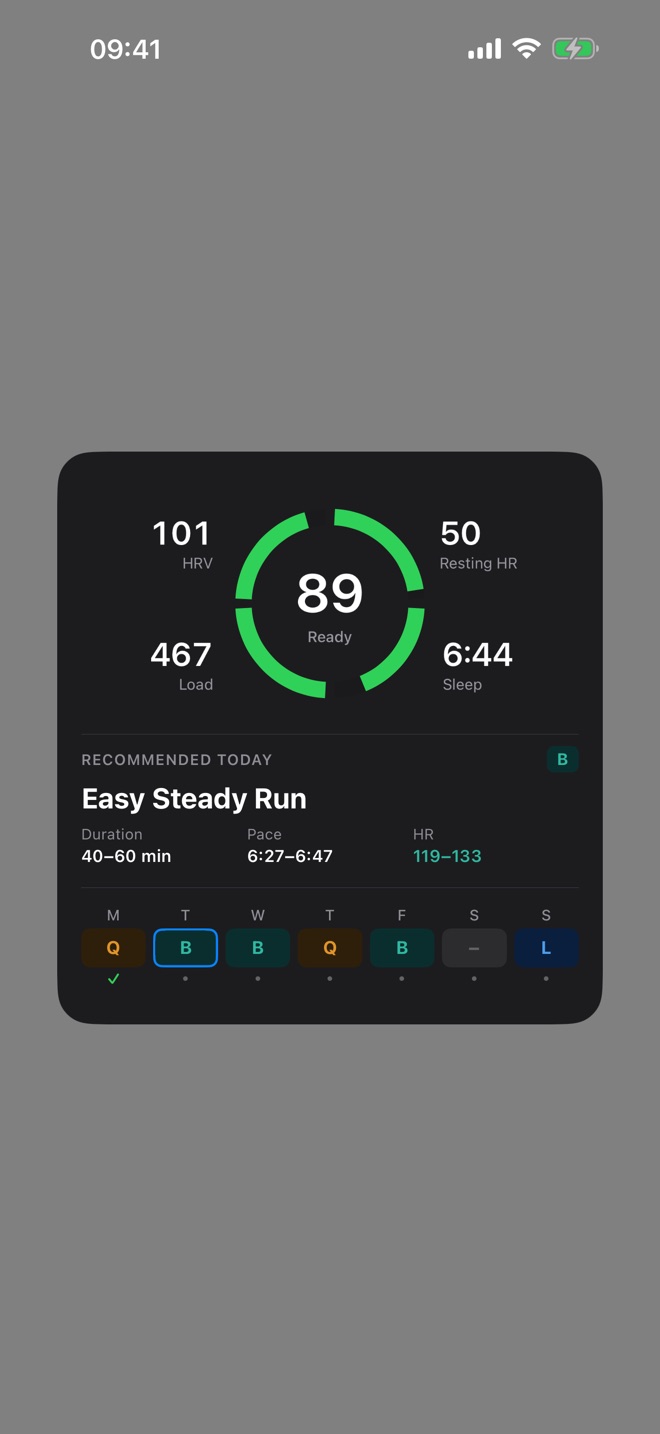
The widgets do not calculate anything themselves. They show what the app stores after every score calculation and after your morning check-in. That happens when you open the app and in the background after 6 am, as soon as your sleep data has arrived.
- If you have not answered the morning check-in yet, the recommendation widget asks you to.
- After midnight the readiness widget shows yesterday’s score with a moon.
- Without a score from today or yesterday, it says “No score yet”. The widgets show sample values only in the iOS widget gallery.
Question not answered?
Write to me from the app under Settings › Send Feedback. Version and device are already in the email.
Or email marvin.blome@gmail.comNot installed yet?
RunReady runs on iPhone with Apple Watch. No subscription, no account.
Get RunReady