The ring
At the top, your Readiness Score from 0 to 100 sits in the ring. Four equal segments show the sub-scores, clockwise from 12 o’clock: Resting HR, Sleep, Load and HRV. The corners show the measured values, for example 101 ms HRV or 6:44 h of sleep.
Tap a segment or a corner value, and the detail view of that value opens where the recommendation was. Tap again or tap ✕ to close it. What the detail views show is explained in The Readiness Score.
Under Settings › Today view you choose whether the corners show the measured value or the sub-score.
The morning check-in
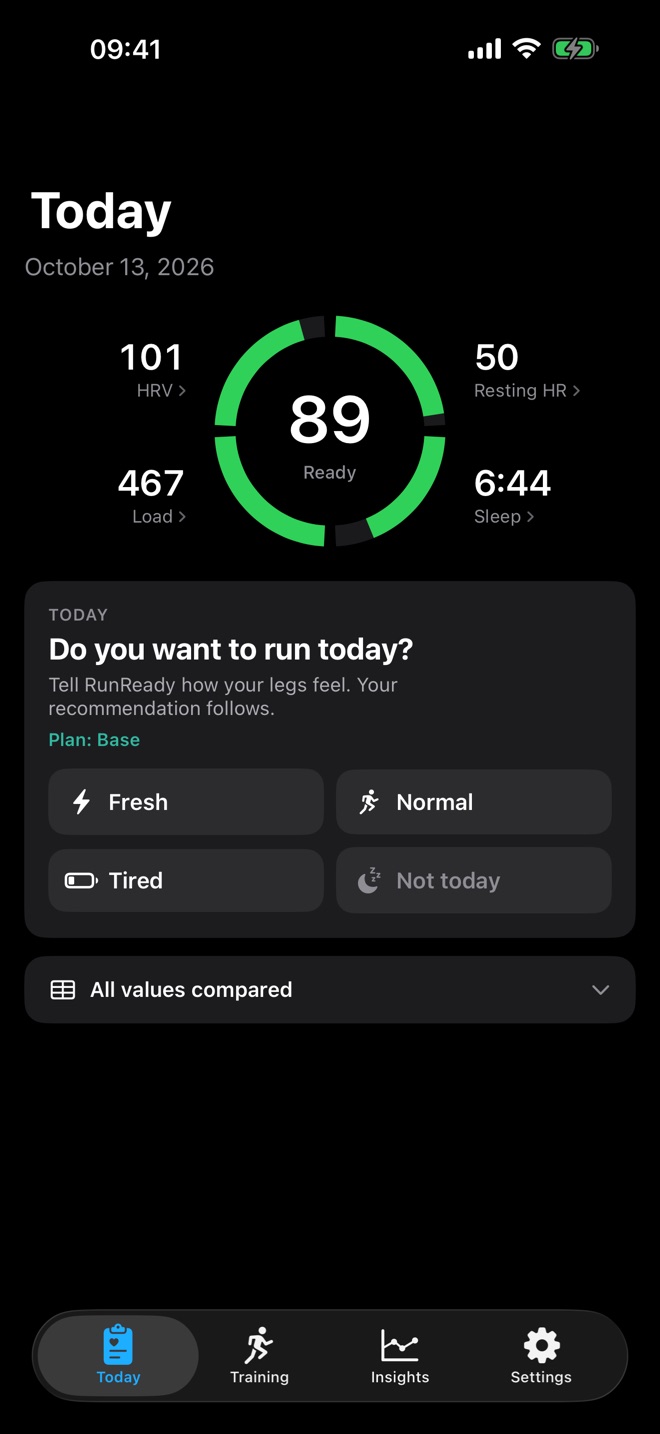
Before the recommendation appears, RunReady asks: “Do you want to run today?” You answer with one tap:
- Fresh: on quality days RunReady allows intervals if your score is at least 80 and no sub-score holds you back.
- Normal: the recommendation follows your score and weekly plan.
- Tired: the recommendation gets one step easier; tempo becomes an easy run, for example.
- Not today: RunReady shows a rest day.
Change below the recommendation resets your answer. RunReady saves it with the day, and the widgets pick it up.
The recommendation
The card Recommended today names the run type, duration, pace and HR, for example “Easy Steady Run, 40 to 60 min, pace 6:27 to 6:47, HR 119 to 133”. Below it you see the reason, for example a note that your sleep holds you back today. The heart rate ranges come from your own zones.
For a recovery jog, an activity such as walking or yoga replaces the pace. On a rest day the middle column disappears.
Send to Apple Watch
Send to Apple Watch puts the session into the Workout app on your Watch as a scheduled workout with heart rate targets. For quality days, choose a template under Settings › Workouts on Apple Watch: Norwegian 4 × 4, 6 × 1000 m or progression run. You can also hide the button there.
All values compared
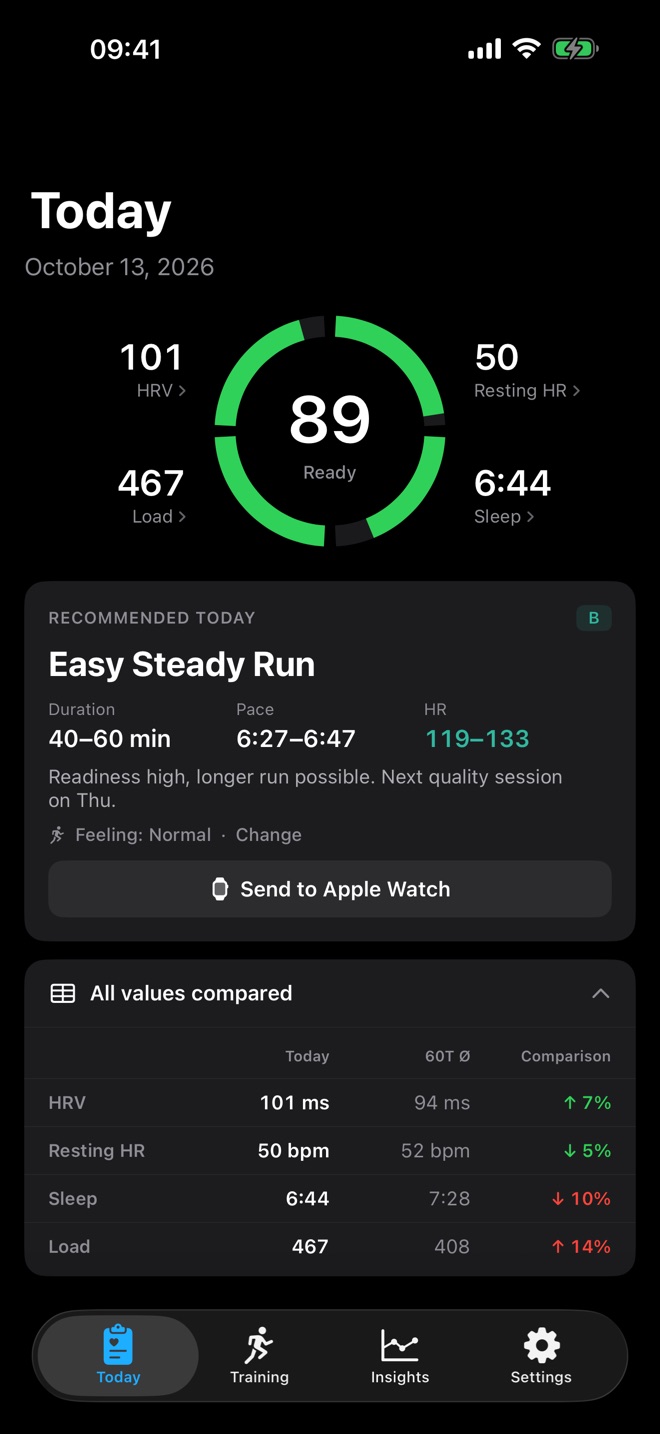
The table below the recommendation puts HRV, resting heart rate, sleep and load next to your 60-day average, with the deviation in percent. It starts collapsed; under Settings › Today view you can have it open at start.
After your run
Once today’s run is in Apple Health, its card replaces the check-in and the recommendation and shows whether the run matched the recommendation.
Special states
- Good Night: between midnight and 6 am without sleep data, RunReady shows yesterday’s score. Your recommendation appears after you wake up.
- No sleep data available: during the day without night data, usually because the Watch was not on your wrist. Load is still shown.
- Building baseline: RunReady is still collecting nights for your reference values.
- No access to Apple Health: see Troubleshooting.
Question not answered?
Write to me from the app under Settings › Send Feedback. Version and device are already in the email.
Or email marvin.blome@gmail.comNot installed yet?
RunReady runs on iPhone with Apple Watch. No subscription, no account.
Get RunReady