
This week
At the top you see your week from Monday to Sunday with the day type from your plan, the days you ran and your distance against the weekly goal. If plan adjustment moved a session, a note appears here.
Recent runs
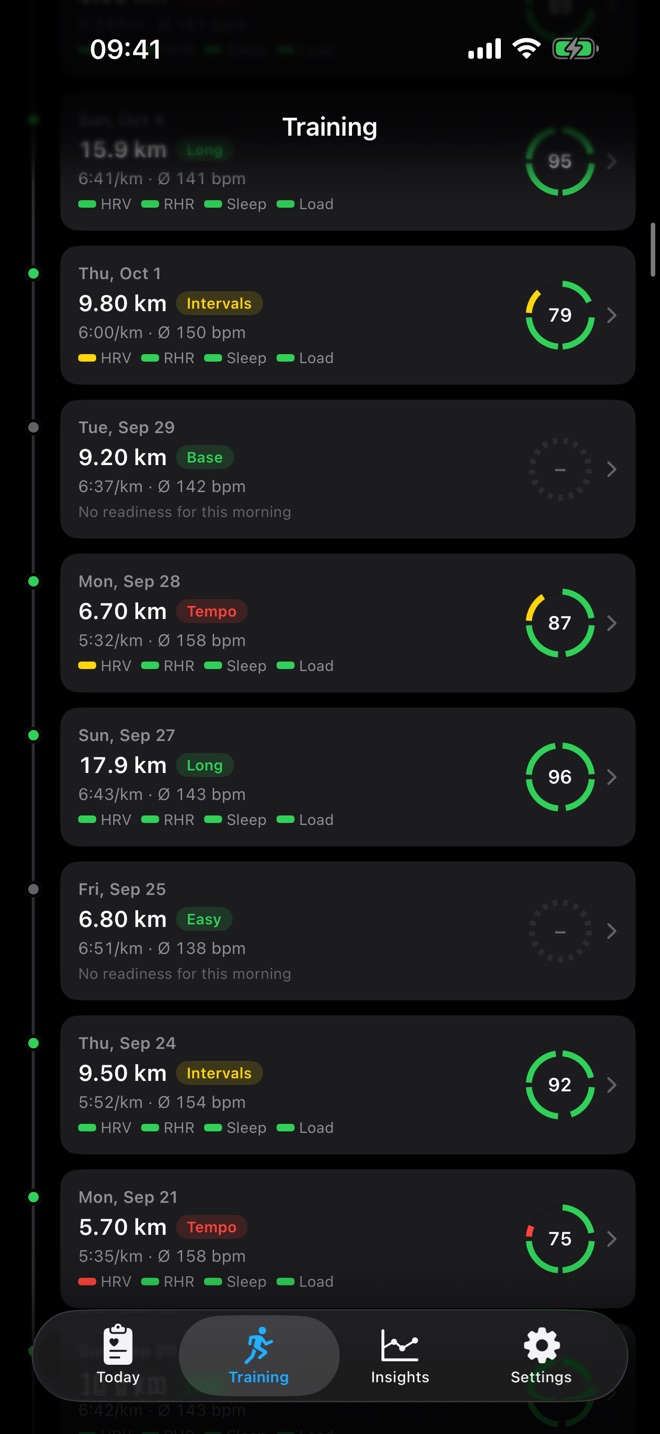
Below follow your runs as a timeline. Each dot has the colour of that morning’s readiness. The card shows distance, run type, pace, heart rate, a small ring with the score and the four sub-scores. With the filter at the top right you show only runs of one zone.
Run types
RunReady detects the type from your heart rate pattern, zone, duration and distance:
- Intervals: at least three clear heart rate peaks and a strongly fluctuating heart rate, from 15 minutes
- Progression: steadily rising heart rate, from 20 minutes
- Fartlek: several peaks, less regular than intervals
- All-out: almost entirely at the top of your zones
- Tempo: steady in zone 3 or 4
- Long: long distance or long duration in zone 2
- Base, Easy and Recovery: calm runs in zones 1 and 2, graded by distance
When your zones change, RunReady relabels all runs.
Run detail
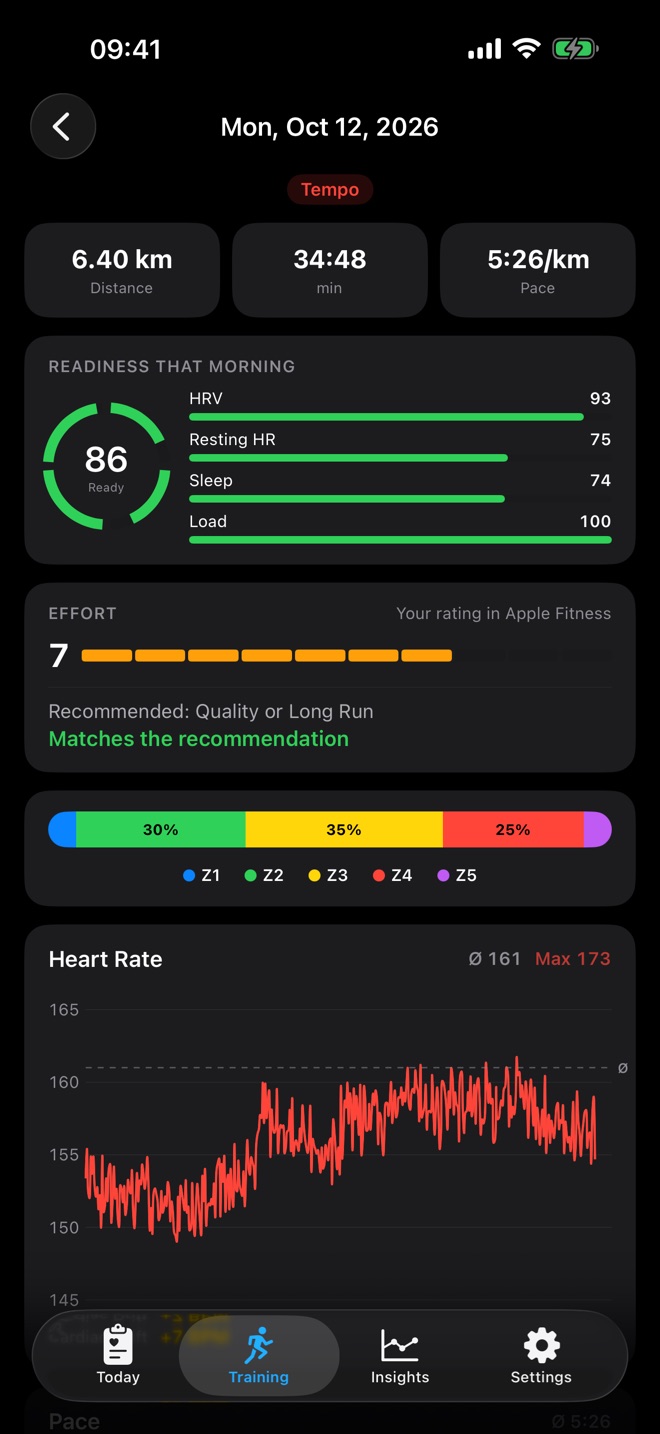
Tap a run to open its details:
- Header: distance, duration and pace, run type and best effort badge
- Readiness that morning: the score with all four sub-scores, as RunReady stored it on import
- Effort: your rating from Apple Fitness from 1 to 10. Without your own rating, RunReady uses Apple’s estimate and marks it. Next to it you see what RunReady recommended that day and whether the run matched.
- Zones: share of time in zones 1 to 5
- Heart rate: history over the run with average, maximum and cardiac drift (how much your heart rate rises at the same pace during the run)
- Pace: history every 200 m, pauses excluded
- Every kilometre: pace, heart rate and cadence per kilometre, collapsed
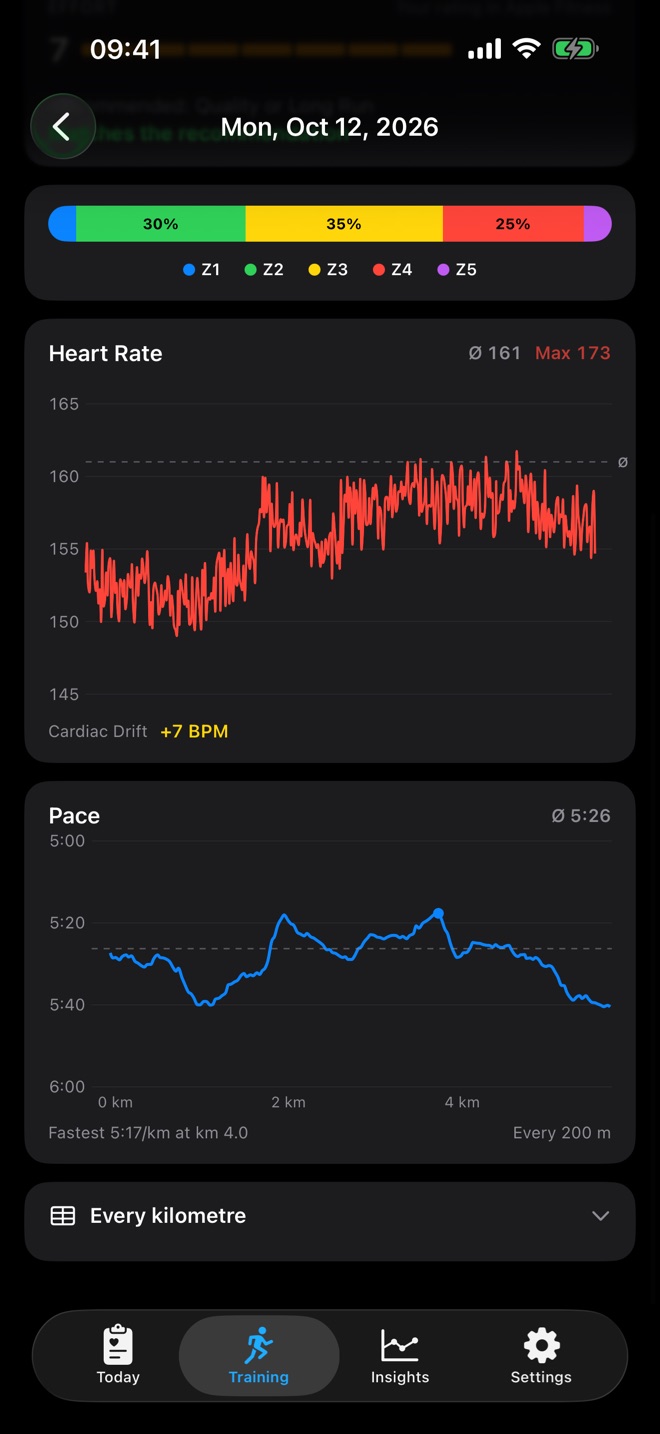
RunReady calculates splits from the GPS route. For treadmill runs or patchy GPS, the app spreads distance and time evenly and matches heart rate and cadence by time.
Readiness per run
The snapshot of the morning is taken on import. For older runs without a snapshot, RunReady uses the day’s value from the archive and marks it as calculated afterwards.
Deleted runs
Apple Health is the source. If you delete a run there, RunReady removes it at the next sync.
Question not answered?
Write to me from the app under Settings › Send Feedback. Version and device are already in the email.
Or email marvin.blome@gmail.comNot installed yet?
RunReady runs on iPhone with Apple Watch. No subscription, no account.
Get RunReady