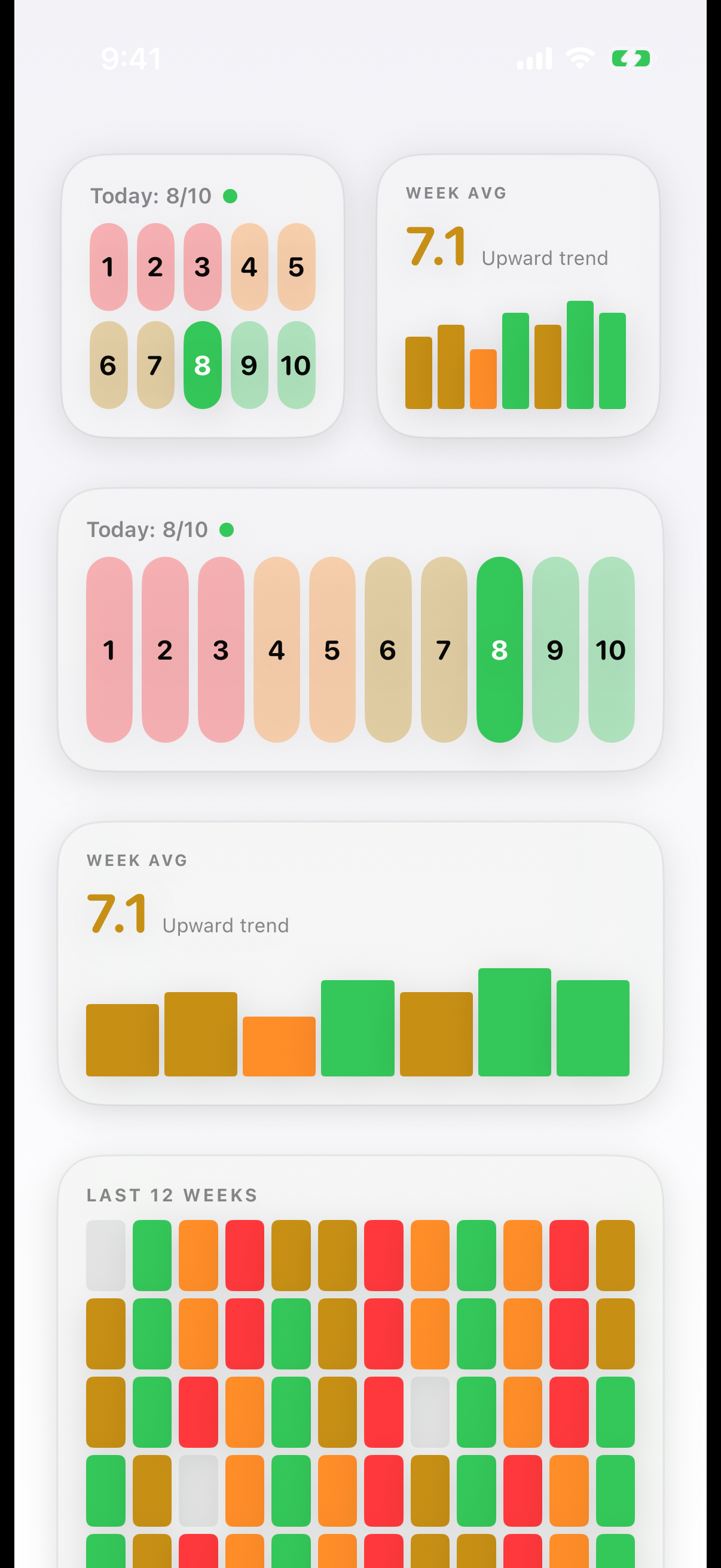
Since version 4, you log your mood without even opening InnerPulse. Widgets bring tracking to the home screen and the lock screen. That lowers the barrier on days when even opening the app is too much.
You add widgets as usual: on the home screen, tap and hold an empty spot, tap the plus at the top left, then search for InnerPulse and choose the size you want.
Quick log
The quick log widget shows directly tappable mood values. A tap on a value saves the entry immediately, without the app launching.
- In the small size the values are arranged in two rows (1 to 5 and 6 to 10).
- In the medium size all ten values are in one row.
That way you log in a single gesture. You can add factors and a note later in the app, if you like.
Weekly pulse
The weekly pulse shows the average of your last seven days in the matching mood color, plus a trend and colored day bars. A glance at the home screen is enough to see how the week has gone so far.
Mood in pixels
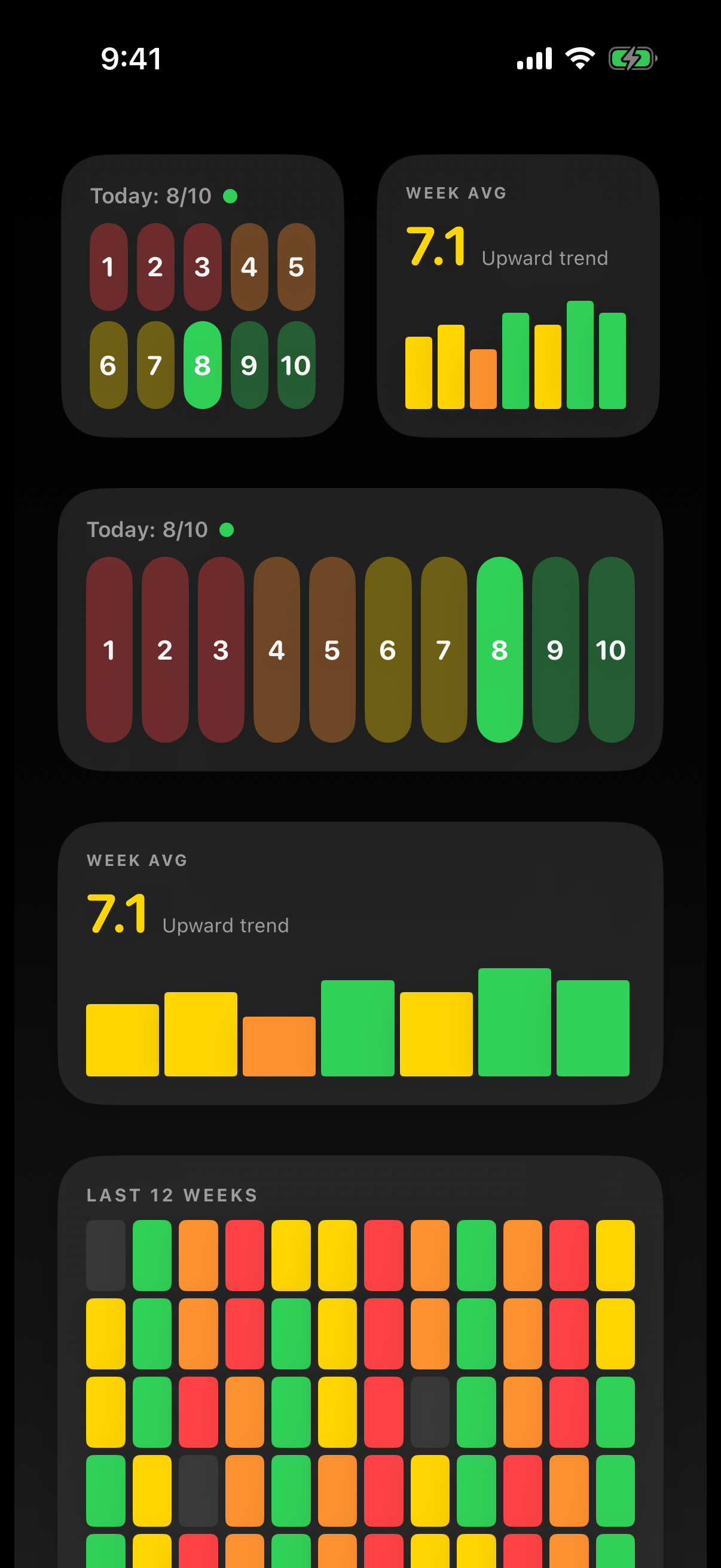
The large widget maps the last twelve weeks as a colored grid. Each day gets a small field in its mood color, days without an entry stay subtle. Over time a pattern emerges that lets you recognize good and hard phases at a glance. The full variant covering an entire year is in the app under Analysis & Patterns.
Lock screen
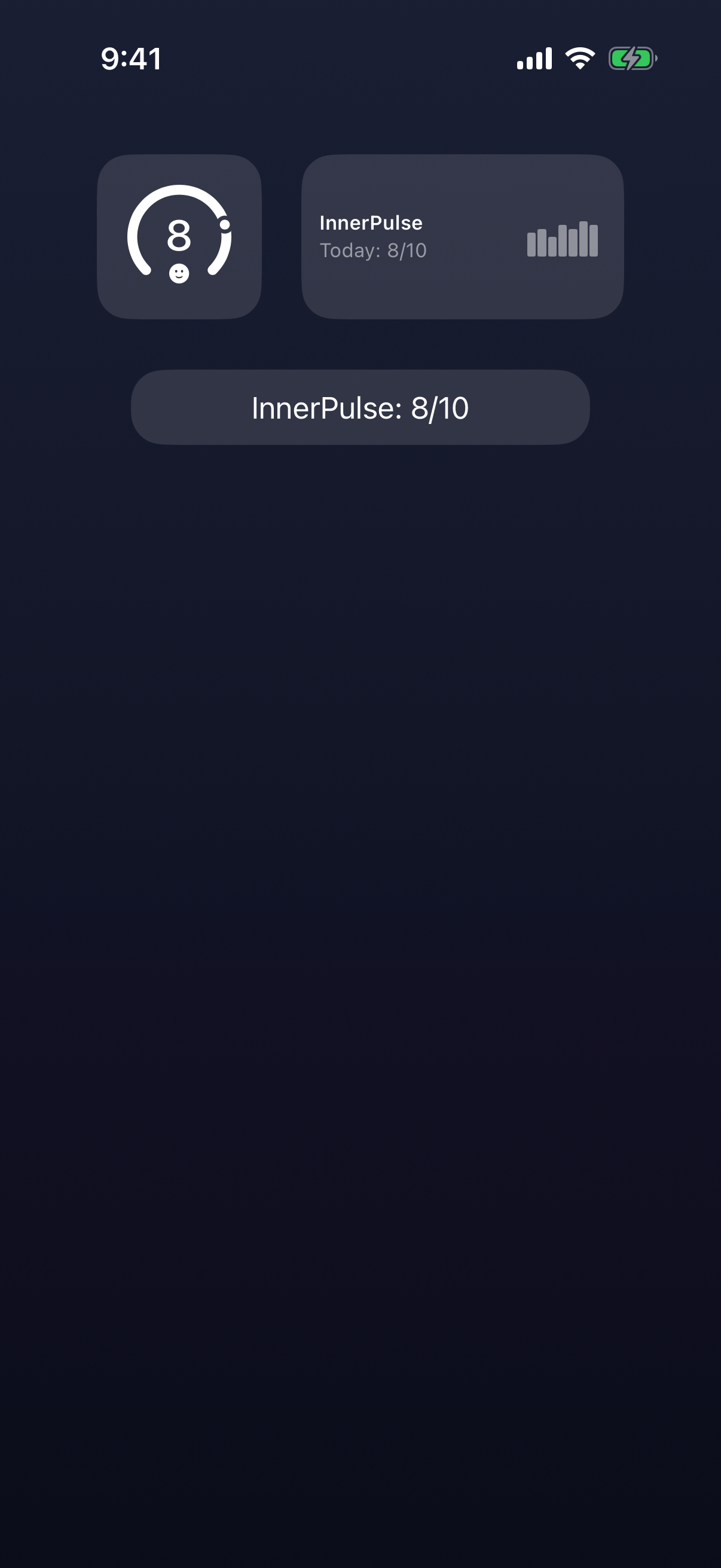
On the lock screen you add a small InnerPulse accessory. It shows your state for today, and a tap opens a new entry directly. So you're in the editor in two steps from the locked screen.
You set up lock screen accessories by holding down the lock screen, tapping Customize and then tapping the accessory area.
Hide mood score
If your lock screen is also visible to others, you may not want to show your mood value openly. In the app's privacy center you'll find the switch Hide mood score for this. When it's active, the lock screen accessory shows only a neutral symbol instead of your value. Where the switch sits exactly and what else it affects is in the chapter Privacy & Security.
Everything stays in sync automatically
Widgets, lock screen and the Apple Watch complication update on their own. As soon as you create, edit or delete an entry, all displays follow. A deleted entry disappears everywhere instead of getting stuck in isolated spots. You don't have to refresh anything manually.
What to know
- The quick log saves the entry without launching the app. You add factors and a note later in the Mood Journal if needed.
- If you tap the lock screen accessory, you land directly in the new entry, even from the locked state.
- With Hide mood score, your value stays private on the lock screen. The switch is in the privacy center.
- Widgets access the same local database as the app. Nothing goes into a cloud, not even via the widget detour.
- Which widget sizes are available depends on the space on your home screen and your iOS version.