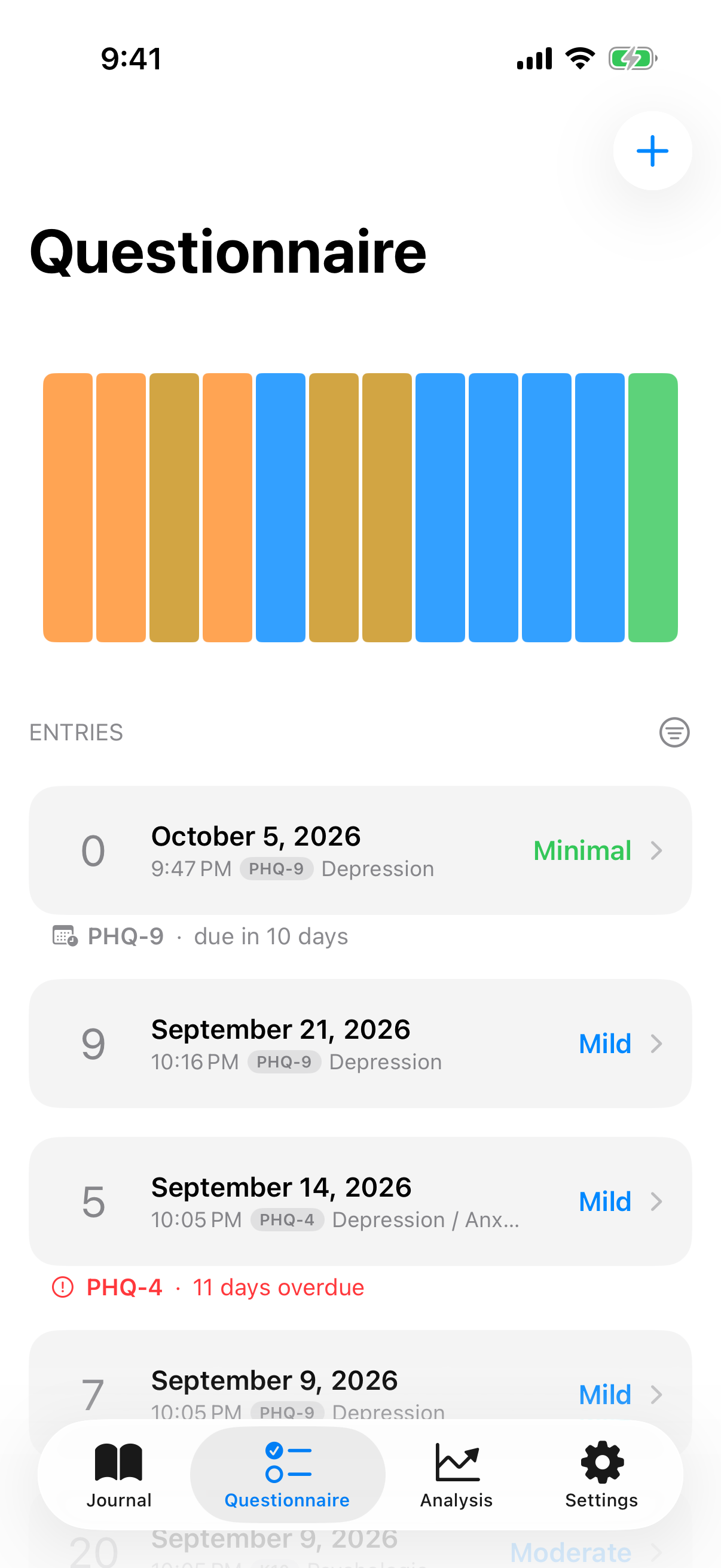
Check-ins are structured self-assessments used in research and clinical practice. InnerPulse provides four of them. They do not replace a diagnosis, but they give you comparison values over time and against what your therapist or doctor would see.
The four instruments
- PHQ-9 measures depressive symptoms over the last two weeks. Nine questions, score 0 to 27.
- GAD-7 measures anxiety over the last two weeks. Seven questions, score 0 to 21.
- PHQ-4 is a short screener with four questions for depression and anxiety together. Score 0 to 12. Takes less than a minute.
- K10 measures general psychological distress over the last month. Ten questions, score 10 to 50.
All four tests are validated distress instruments. Higher values mean higher distress. The thresholds and labels follow the original publications (Kroenke 2001 for PHQ-9, Spitzer 2006 for GAD-7, Andrews & Slade 2001 for K10, Kroenke 2009 for PHQ-4).
Which test when
- PHQ-4 as a weekly quick check. Two minutes of effort, gives you a pointer to depression and anxiety at the same time.
- PHQ-9 when PHQ-4 is elevated or when you want to track depression progress specifically, for example during medication adjustments.
- GAD-7 when anxiety plays a bigger role than depressive symptoms.
- K10 when your picture is more diffuse and you want a broad distress scale that also captures agitation and nervousness well.
You can repeat any test as often as you want. Weekly or biweekly intervals are common.
Running a questionnaire
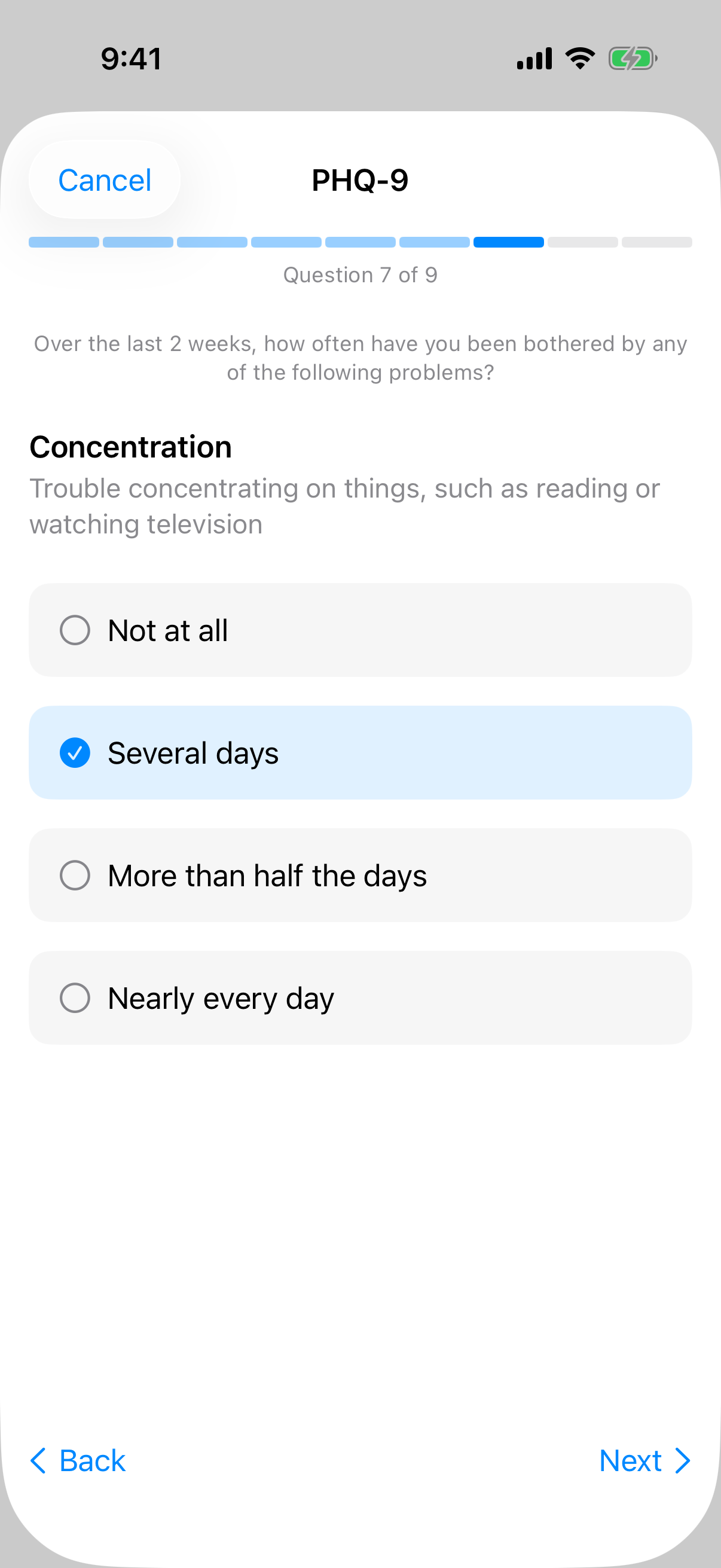
Open the Questionnaire tab and tap the plus icon. Pick a test. Each question appears on its own page. A segmented progress indicator runs along the top. Pick the answer that fits best.
After each answer, the app briefly waits and then automatically scrolls to the next question. You can tap answered questions at any time to correct them. When you reach the end and questions are still open, an orange button "X still open" appears. Tap it and you jump to the first unanswered question.
Abandoned tests are not saved. Only a fully completed questionnaire lands in the archive. If you tap Cancel after answering some questions, InnerPulse asks: Discard answers or Keep answering. In this state you cannot swipe the questionnaire away, so no answers get lost by accident.
Result view
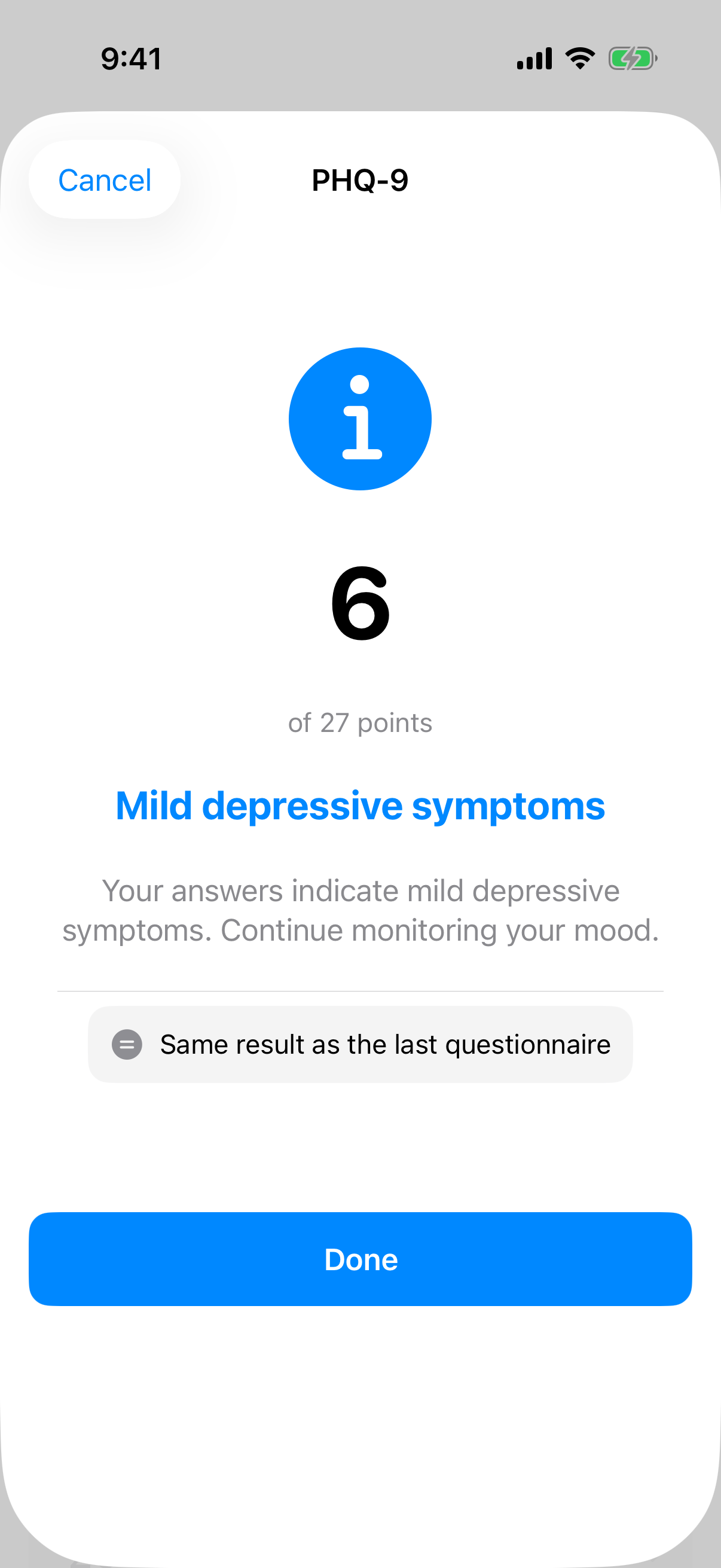
At the end you see:
- the total score large in the center,
- a colored severity icon and label that describes how strong your symptoms are, for example "Moderately severe depressive symptoms",
- a clinical interpretation in two or three sentences,
- the comparison to your last run of the same test with arrow and delta wording, e.g. "4 points less than last time",
- if relevant, a colored alert banner,
- if there are signs of acute distress, a red card with the button Show help contacts. It stays part of the result, also when you open it again later.
For PHQ-4 with a score of 6 or more, the app suggests additionally taking the PHQ-9 or GAD-7. That gives you a more differentiated picture.
Understanding score and severity
Each test has its own ranges. Example PHQ-9: 0 to 4 minimal, 5 to 9 mild, 10 to 14 moderate, 15 to 19 moderately severe, 20 to 27 severe. The app shows you the interpretation directly with color and icon. Remember: a single value tells you little. Only the trend reveals a picture.
You can see the trend at the top of the Questionnaire tab as a chart. If you want to compare several test types side by side, look at the Analysis tab. There scores are normalized to a common scale.
Manual entry
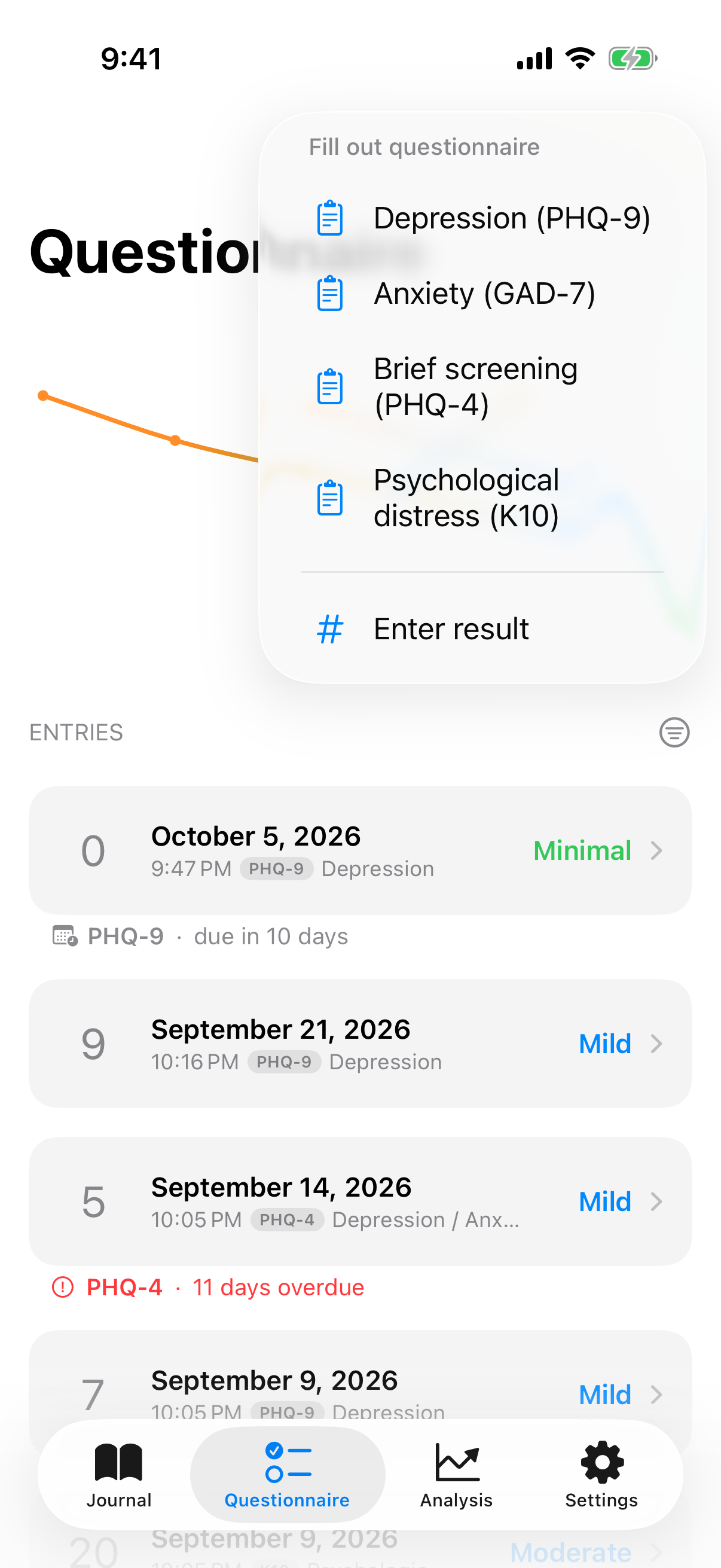
Got a score from your doctor or from an earlier test? In the Questionnaire tab, tap the plus icon and choose Enter manually. Pick the test type and enter the score. The color slider shows you the severity right away. Manual entries count in the trend just like completed questionnaires.
Alert banners
InnerPulse shows colored banners when a score stands out:
- Blue (notice): moderately elevated. Watch the trend.
- Orange (urgent): repeatedly high values or a clear increase. A conversation with a professional is sensible.
- Red (acute): you indicated a value greater than zero on PHQ-9 question 9 (thoughts that you would be better off dead or of hurting yourself). The app opens a full-screen modal with hotline numbers.
The acute tier is the only one that opens a modal. After that, you can reach the help contacts at any time through the red card in the result. Urgent and notice are quiet banners that you can swipe away. More details in the chapter Help in Crises.
Results for therapy or doctor appointments
If you want to show your scores at the next appointment, export them as CSV or PDF. The app bundles all test histories in a PDF with a score table and trend line that is readable on a smartphone and can be printed. How that works is in the chapter Export your data.
What to know
- The questionnaires are screening, not diagnosis. A diagnosis requires conversation, history and possibly differential tests.
- You can repeat each test as often as you want. The history is saved.
- Entries from abandoned tests are not saved. Only fully completed runs land in the archive.
- The acute alert has a 24-hour cooldown. If you take the PHQ-9 multiple times on the same day, the modal appears only once.
- You set up check-in reminders in Settings. Default is every 14 days.