InnerPulse 4.0 is the biggest update so far: the app leaves the iPhone. You now capture your mood in seconds right on the Apple Watch or through widgets, without opening the app. On top of that come smarter analysis, an intensity slider per factor, a journal search and the option to add missed days. Everything stays 100 % local. This release briefly introduces the highlights, all the details are in the docs.
Apple Watch: Mood on Your Wrist
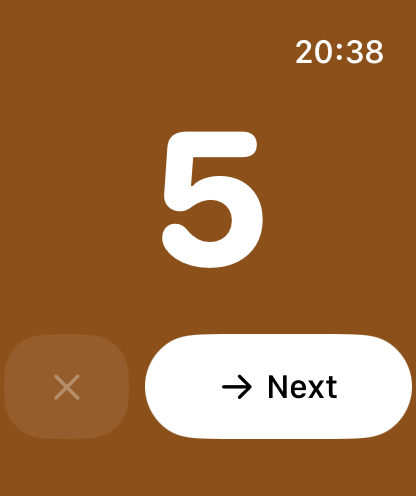
With the new Apple Watch app you capture your mood using the Digital Crown: turn the crown, set a value from 1 to 10, tap, done. On your wrist you also see the average of the last seven days plus its trend, and matching factors like the weekday or Apple Health data are preselected. The sync runs reliably in both directions, even offline. A complication for your watch face shows your value for today. The chapter Apple Watch in the docs explains all the features.
Widgets and Lock Screen
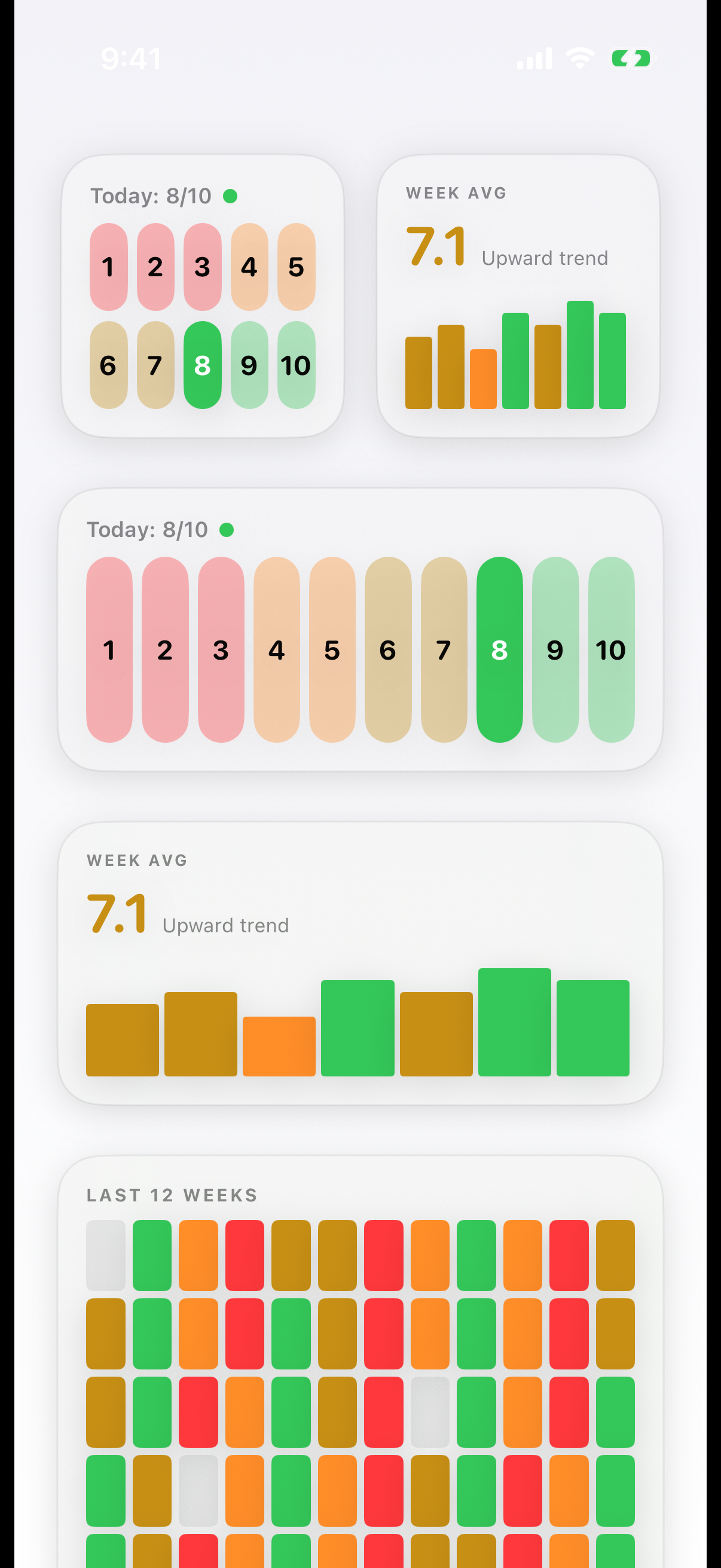
On the home screen you capture your mood with a single tap. The weekly pulse widget shows the average of the last seven days plus its trend, and "Mood in Pixels" brings the last twelve weeks to your home screen as a colored grid.
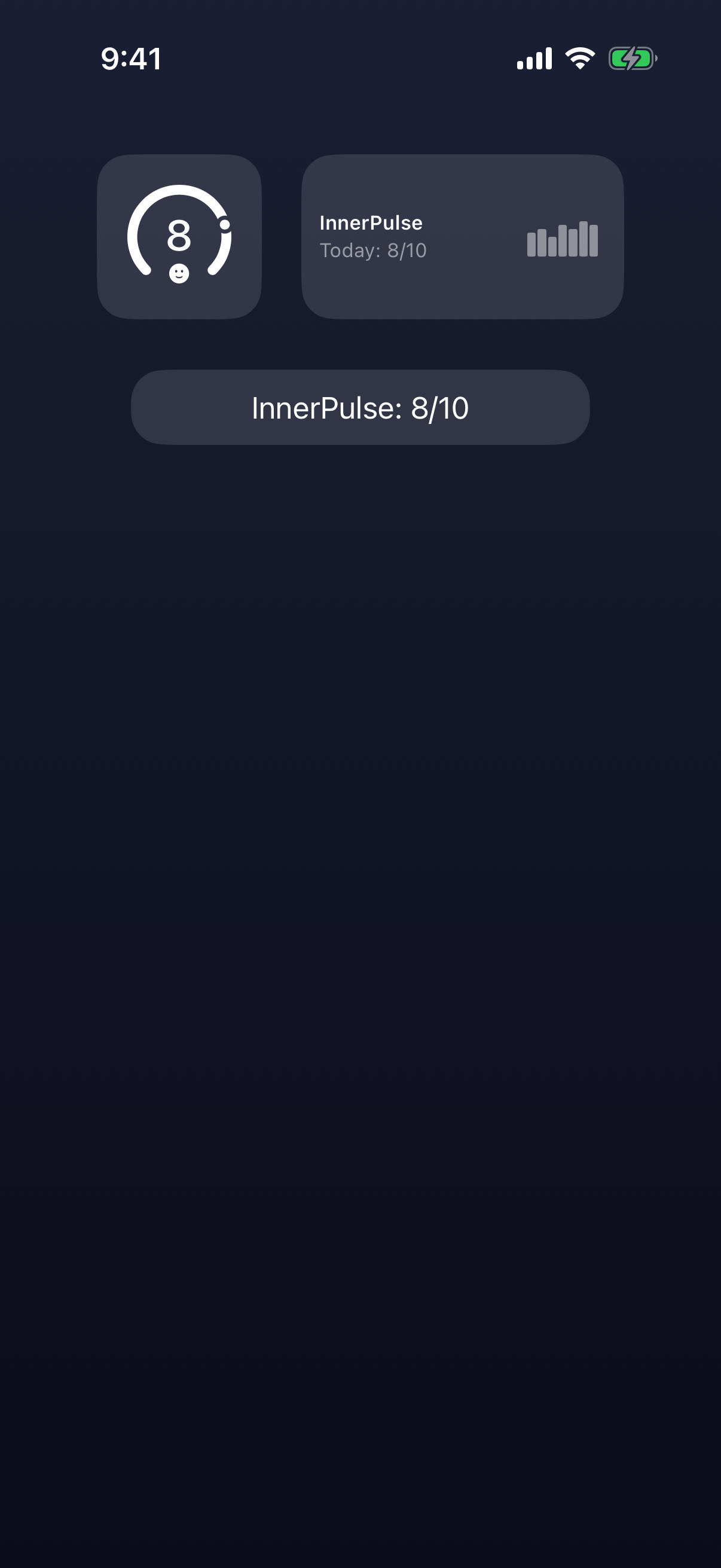
On the lock screen a tap opens a new entry directly, optionally with a hidden mood score. All widgets have been redesigned and are always updated automatically. How to set them up is described in the chapter Widgets & Lock Screen.
Interactions as Clear Sentences
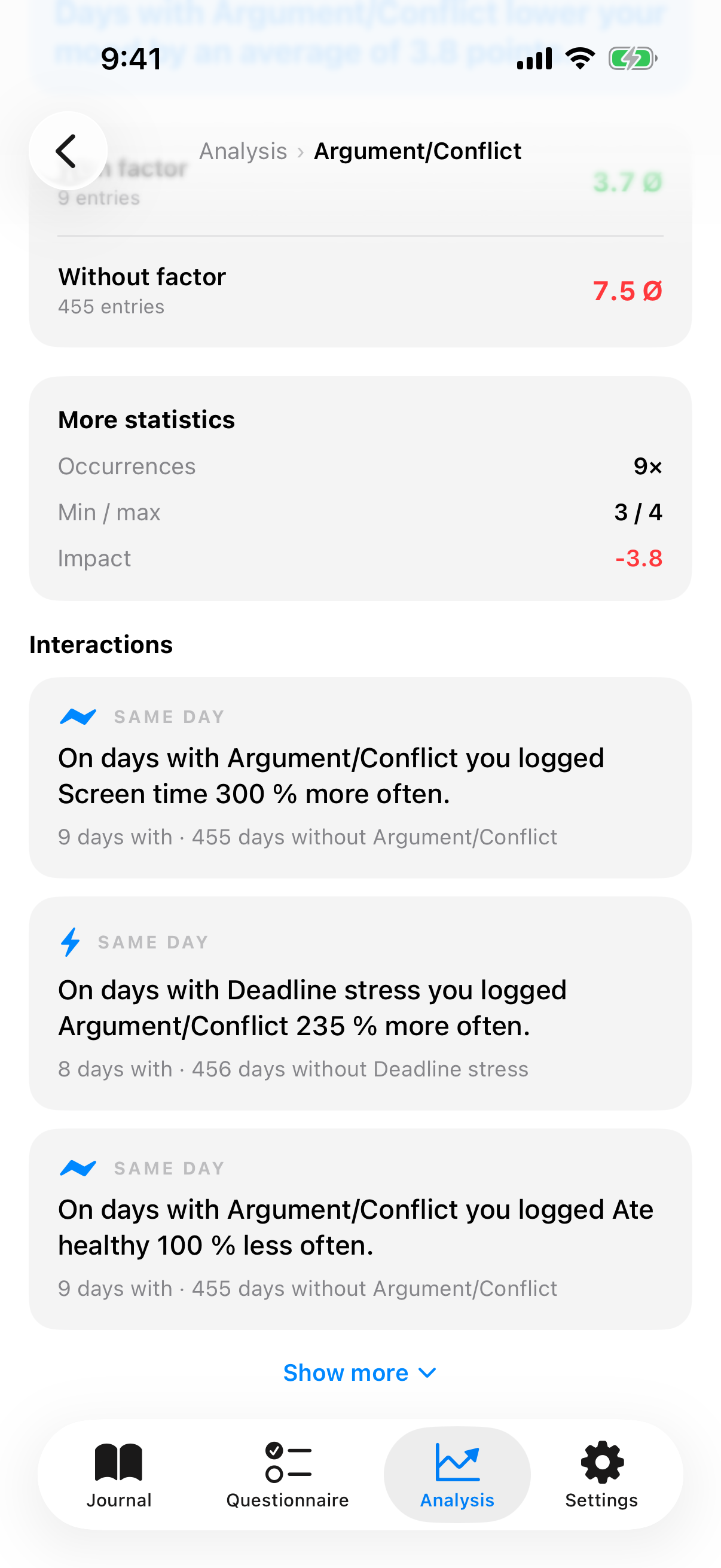
The analysis now phrases connections in natural language, instead of only showing numbers. In the detail view of a factor you read sentences like "On days with exercise you ate healthily 40 % more often" or "After days with little sleep your mood is on average lower the next day". Everything is an observation, not a diagnosis. How InnerPulse forms these patterns is explained in the chapter Analysis & Patterns. The article Recognizing patterns in your mood shows you how to interpret them.
Intensity, Free Factors and Journal Search
Three improvements around the entry make InnerPulse more flexible:
New around the entry
Intensity
A slider from low to high for each factor. The analysis compares strong and weak days.
Fully editable factors
Adjust the title, icon, category and tendency of every factor, even for the default factors.
Journal search
Filter live by note text, factors and date.
How you edit factors and use the intensity is described in the chapter Influencing factors. The search and the entry as a whole are described in the chapter Mood journal.
Adding Missed Days, Without Pressure
Optionally, every day you did not capture appears as a subtle tile with a plus. A tap creates an entry for exactly that day. No streak, no nagging tone. Why this matters especially during depressive phases is explained in the article Why streaks harm people with depression.
Privacy Stays at the Core
All data from version 3 is migrated locally. No server, no account. Optional Apple services exchange data only with Apple. How Apple protects the health data on the Watch is described by Apple in the privacy overview. More about InnerPulse in the chapter Privacy & Security. Download the update from the App Store and capture your next entry right on your wrist.